
Starting a new business in 2025 is hard enough without also having to build and manage your own cloud infrastructure. Significant upfront investment, server expertise, licensing costs, the barriers to running a web hosting company from scratch are real. Reseller hosting removes most of them.
With a reseller account, you sell white-label hosting services under your own brand while your provider handles the physical and virtual infrastructure. The technical barrier drops considerably, and so does the cost of getting started. This post walks through everything you need to think about before and after launch, from research and pricing to marketing and support.
What is reseller hosting?
Reselling as a business model is well established. You purchase a product wholesale, add your own value or branding, and sell it on. Reseller hosting works the same way. You buy hosting resources from a provider, package them under your own brand, and sell plans to your clients without touching a server.
Your reseller hosting provider maintains the physical and virtual infrastructure. You manage the client relationships, set your own pricing, and build your own brand on top. If you want a fuller overview of the model before going further, the reseller hosting guide covers the fundamentals.
Research and planning
Before committing money or time, you need a clear picture of the market you are entering: who you are targeting, what competitors are doing, and where the risks sit. This stage shapes every decision that follows.
Choosing a niche and defining your USP
Targeting everyone rarely works, particularly when starting out. A tighter focus lets you develop genuine expertise, build relevant relationships, and communicate your value clearly. A few niches worth considering:
- Local small businesses. Electricians, roofers, plumbers and other trades need simple, professional websites. They often want a managed service: someone to update pages, swap out images and keep things ticking over.
- Professional services. Accountants, solicitors and similar firms need websites and email to communicate with clients. This audience typically requires higher compliance standards and stronger data redundancy.
- Creative businesses. Designers, photographers and artists need portfolio sites with plenty of image storage. Catering to them might mean offering higher storage limits and image optimisation as part of your package.
Your USP should address a specific problem your chosen niche faces, not a list of features, but a clear answer to the question: what pressure do I take off them? For a roofing contractor, that might mean building the initial site and handling all ongoing updates. For a design-savvy creative, it might mean a leaner, lower-cost plan that gets out of their way. Whatever you land on, your website and copy need to communicate it within a line or two. If you cannot articulate why someone should choose you over a competitor that quickly, keep refining.
Analysing your competitors
The web hosting industry is competitive, but that competition is useful. Existing providers at every level show you what is working, where gaps exist, and how others have positioned themselves within specific niches. Look at their pricing, their feature sets, how they talk to their target audience, and where their marketing is focused.
The insight you gather here feeds directly into your own pricing, packaging and marketing strategy. Do not skip this step because the market looks crowded. Crowded markets have proven demand.
Identifying risks before they become problems
Every business faces challenges. Identifying them early means you can respond quickly and professionally rather than scrambling when something goes wrong. Three risks worth planning for from the start:
- Technical issues. Infrastructure-level problems are handled by your reseller hosting provider. Issues with individual client accounts and sites, though, sit with you. Have a communication plan ready so clients know what to expect if something goes wrong.
- Client concentration. Relying heavily on one large client is a real risk. If they leave, it can threaten the whole business. Diversifying your client base from early on protects you from a single cancellation causing serious damage.
- Competition. Larger players may already be active in your niche, or may enter it later. Building genuine relationships with clients early, and focusing on retention as much as acquisition, is your best defence.
Understanding startup costs
Reseller hosting requires relatively low upfront investment compared to most business models. The costs you will face vary depending on how you set things up, but these are the main categories to budget for:
- Hosting and domains. Your reseller hosting plan is your primary ongoing cost. Domain registration pricing varies by TLD; check the domain pricing page for current rates.
- Website development. You can build your own site to keep costs down. A professionally built site typically ranges from £200 to £2,000 depending on complexity.
- WHMCS licensing. If you plan to automate billing and client management, factor in a WHMCS licence. This is optional at the start but worth planning for as you grow.
- Marketing. A realistic starting budget for the first quarter might be £300 to £1,000, covering paid advertising, content tools or networking events.
- Professional services. Logo design, legal advice for your terms of service, and accountancy for business setup can range from £200 to £800 depending on what you need.
What cPanel reseller hosting gives you
cPanel is the most widely used control panel in the reseller hosting space. It provides a graphical interface covering DNS zone management, email account creation, file management and more, all without needing to touch a server directly. It is a proven setup, though cPanel’s per-account pricing model has led some resellers to look at more cost-effective alternatives as they scale.
The main advantages of managed cPanel reseller hosting:
- No infrastructure to manage. Physical servers, virtual servers, licences, software and backups are all handled for you.
- Fully white-label. You create cPanel sub-accounts with custom packages, resource limits you define, and branding that is entirely your own. Clients see your brand, not your provider’s.
Configuring WHM for your business
Once your reseller account is active, a few configuration steps make a significant difference to how professional your service looks and how well it scales. These are the most important to address early.
- Custom branding. Custom WHM branding lets you replace the default cPanel interface with your own logos, favicon and a dedicated login URL. It is a small touch, but it builds trust and makes your service feel like a distinct product rather than a repackaged one.
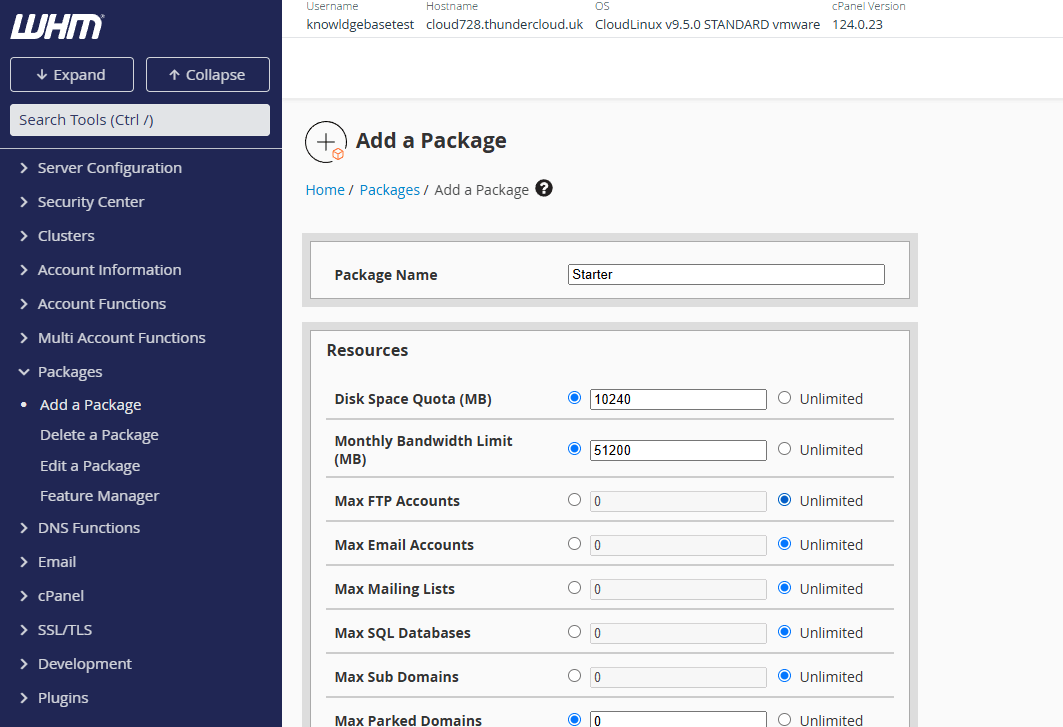
- Hosting packages. Your custom hosting packages should reflect your niche, not a generic set of tiers. Think carefully about storage, bandwidth and account limits. Set them too low and you frustrate clients; too high and you undermine your own margins. Research what competitors in your niche offer and use that as a baseline.
- Custom nameservers. Nameservers that carry your brand add to the professional image of your service and increase brand visibility every time a client’s domain resolves. Email authentication records (SPF, DMARC and DKIM) come pre-configured on managed reseller plans, which helps with email deliverability from day one.
Marketing your hosting company
Without a working marketing strategy, you will not get clients, and without clients, the business does not exist. You do not need a large budget to start. You need a clear message, a credible web presence, and a plan for how people will find you.
Building your business website
A web hosting company without a website is a hard sell. Your site is the first thing a potential client will judge you on, so it needs to look credible and communicate your USP clearly. WordPress is a solid choice if you want a flexible, manageable platform without needing to write code from scratch.
A straightforward approach to getting started:
- Install WordPress on your custom domain.
- Choose a theme suited to your niche or adapt an existing one.
- Build pages covering your plans, features and USP.
- Add client reviews and trust signals to support your credibility.
WordPress can struggle under load if it is not configured correctly. Apply caching for WordPress early to keep your site fast as traffic grows.
Integrating WHMCS for billing and client management
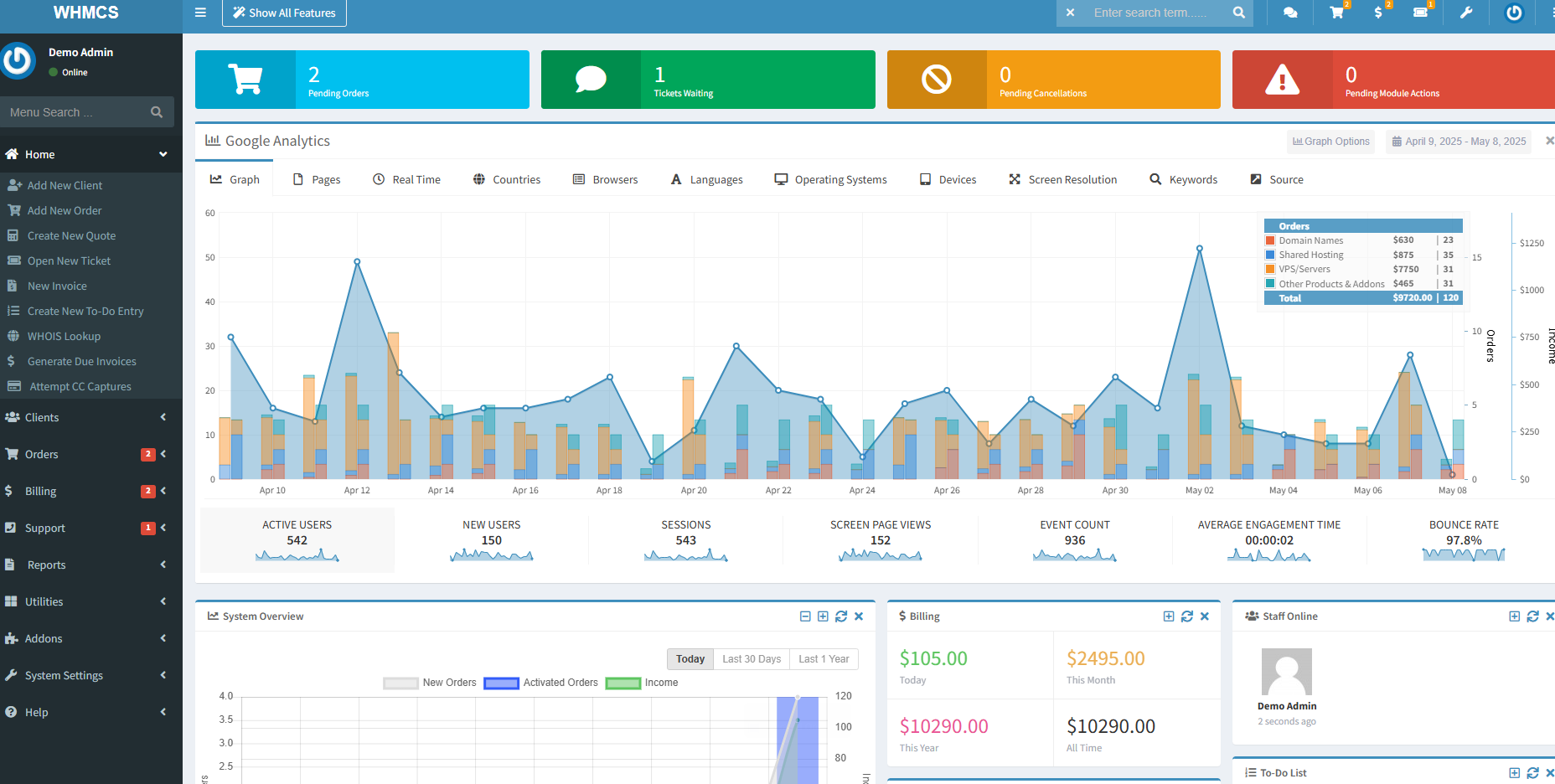
WHMCS is the leading billing and client management platform in the web hosting industry. It is optional, particularly if you are starting out as more of a digital agency than a traditional hosting provider, but the features it offers make running a growing operation considerably more manageable. A WHMCS licence gives you:
- Client management. Account creation, deletion and login handling.
- Automated billing. Support for multiple payment methods.
- WHM/cPanel integration. Accounts provision automatically when a client signs up.
- Domain management. Registration, transfer and automated renewal via domain registrar integration.
- Built-in support system. A ticketing system with knowledgebase functionality.
SEO for a new hosting business
Search engine optimisation (SEO) covers the changes you make to your site to improve how search engines rank it. Higher rankings mean more visibility, and more visibility means more organic traffic. In a competitive space like web hosting, you are unlikely to outrank established players on broad terms early on, so start with the basics, do them well, and build from there.
Practical starting points:
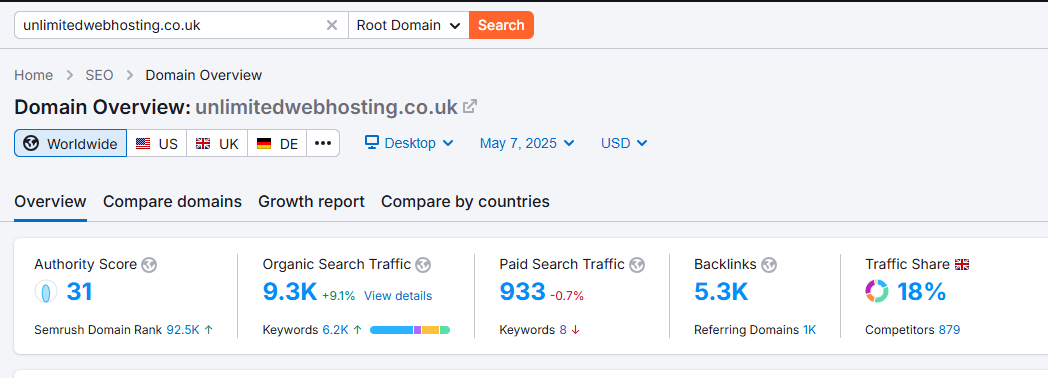
- Research which pages and search terms perform well for competitors in your niche. Free tiers of tools like Ahrefs or SEMrush give you enough to start with.
- Write blog posts relevant to your niche. If you serve the construction industry, cover topics your clients actually search for.
- Build out a knowledgebase showing how to use your service. These pages can pick up search traffic that might otherwise go to a competitor.
- Write page content for relevant terms without forcing keywords unnaturally into the copy.
Google’s Search Essentials documentation is worth reading before you start. It sets out what Google actually rewards and what to avoid.
Pay-per-click advertising
PPC advertising, through Google Ads or Meta Ads, can generate results faster than organic SEO, but it costs money and rewards experience. If you are new to it, start with a small budget, test what works, and scale carefully. Spending heavily before you understand your conversion rates is an easy way to burn through your marketing budget without much to show for it.
Social media and content marketing
Social media marketing takes time and consistency, but the cost of entry is low. Regular posts that genuinely engage people in your niche can build brand visibility and bring in clients without paid spend. The key word is genuinely: promotional content that adds no value gets ignored.
Choose your platform based on where your niche actually spends time. LinkedIn suits professional services. Instagram and Pinterest work well for creative industries. Reddit can be effective if you engage authentically rather than promoting yourself. Spreading yourself across every platform at once is rarely a good use of limited time.
Referrals, networking and direct sales
For a web hosting business, direct relationships often outperform advertising. Attending industry events, partnering with web designers, or approaching businesses with outdated sites can generate clients who stay longer and refer others. The direct approach feels uncomfortable at first, but the relationships it builds tend to be more durable than those that come through paid channels.
A referral programme formalises this. Incentivising existing clients to recommend you, through bill credits, discounts or tiered rewards, turns satisfied customers into a sales channel. For example, a 5% discount on the next invoice for each successful referral, or a tiered scheme where one referral earns £50 credit and three unlock a year’s free hosting. The structure is up to you, but the principle is the same: make the process easy and the reward feel worthwhile.
A recommendation from a trusted colleague carries more weight than any ad. Clients acquired through referrals tend to arrive with a level of trust already established, which makes the sales conversation considerably easier.
Customer support
In a market where clients have plenty of alternatives, support quality is often what keeps them with you. As a reseller, you are the first point of contact when something goes wrong, and how you handle that moment matters more than almost anything else.
Your clients are not hosting experts. When they hit a problem, they want a response from someone who knows what they are doing and will actually fix it. Passing them straight to a third-party support queue without context damages trust quickly. Handle what you can directly, and when you do escalate, stay involved in the resolution.
Some reseller hosting plans include support as part of the package, which takes pressure off you, particularly in the early stages when query volume is unpredictable. Even so, clients will often come to you first. A follow-up message after a problem is resolved is a small gesture that leaves a strong impression.
Practically speaking, you will want a system for managing incoming queries, whether that is a ticketing tool, an email management platform, or social media channels where clients can reach you. The goal is to make sure nothing gets missed and no client is left waiting without acknowledgement.
Tip: If you use WHMCS, its built-in ticketing system handles support requests alongside billing in one place, useful when you are managing everything yourself.
Further reading
These resources are worth bookmarking as you build out your hosting business.
- Making your reseller business a success, practical advice on growing beyond the early stages.
- Reseller hosting FAQ, answers to the most common questions about the model.
- Getting started with reseller hosting, step-by-step setup guidance in the UWH knowledge base.
- Google Search Essentials, the official documentation on what Google rewards in search rankings.
Wrapping up
Launching a reseller hosting business in 2025 is genuinely achievable without a large budget or a background in server management. The model works because the infrastructure is handled for you. Your job is to find the right niche, build a credible brand, market it consistently, and support your clients well. None of those things require technical expertise; they require focus and follow-through.
If you are ready to get started, take a look at UWH’s reseller hosting plans, built for exactly this kind of operation.

About Angus
Angus is the Website and Content Developer at Unlimited Web Hosting UK where he crafts clear, engaging content optimised for humans.

You May Also Like
Related articles you might find interesting.
Reseller hosting: how it works and what makes it succeed
cPanel vs DirectAdmin: which panel suits your reseller business?

Need multiple accounts?
Create isolated individual accounts for your clients and manage them all from one dashboard.
Get Reseller Hosting
Need more control?
Upgrade to VPS hosting for scalable resources and root access to your server.
Get VPS Hosting