A detailed comparison for new and growing resellers who want the best value from their hosting control panel.
Your choice of hosting control panel affects everything from day-to-day client management to long-term profitability. Pick the wrong one and you are either overpaying for features you do not need or scrambling to work around limitations that slow you down.
Two panels dominate the reseller hosting space right now: cPanel, the long-established market leader, and DirectAdmin, a leaner alternative that has gained serious traction thanks to its pricing model and speed. This article compares them across the areas that matter most to resellers so you can commit to the right platform with confidence.
What the panels have in common
Before getting into the differences, it is worth establishing what does not need to factor into your decision. cPanel and DirectAdmin share a solid foundation of features that cover the core needs of any reseller operation.
They use the same tiered access model. An administrator (or root) level controls the server, a reseller level manages client accounts, and a client level handles individual websites, email and databases. The day-to-day tools at each tier overlap significantly.
- Email management. Creating and managing email accounts with visible, controllable quotas works in a similar way on each panel. They share Roundcube as their webmail client, so end users get the same inbox experience regardless of which panel you run.
- DNS zone editor. Full DNS zone management is available in each panel, letting you edit DNS zones and add app-specific records without leaving the interface.
- Web-based file manager. Each panel includes a browser-based file manager for quick edits and uploads without needing a separate FTP client.
- Database administration. phpMyAdmin is available in cPanel and DirectAdmin, giving you direct access to create, edit and manage MySQL databases from the browser.
- Automated free SSL. After adding a domain, each panel runs a domain control validation check and issues a free SSL certificate automatically, with no extra payment or manual steps required.
- Per-domain PHP switching. You can assign a specific PHP version to each domain. This is valuable when clients run older applications that have not yet been updated, because it prevents breakages without forcing you to hold the entire server back on a legacy version.
Where cPanel stands out
cPanel was first released in 1996 and is now owned by WebPros, which also owns Plesk and WHMCS. Nearly three decades of development have produced a feature set that covers almost every traditional hosting need, and a documentation library to match.
Separated client and reseller interfaces
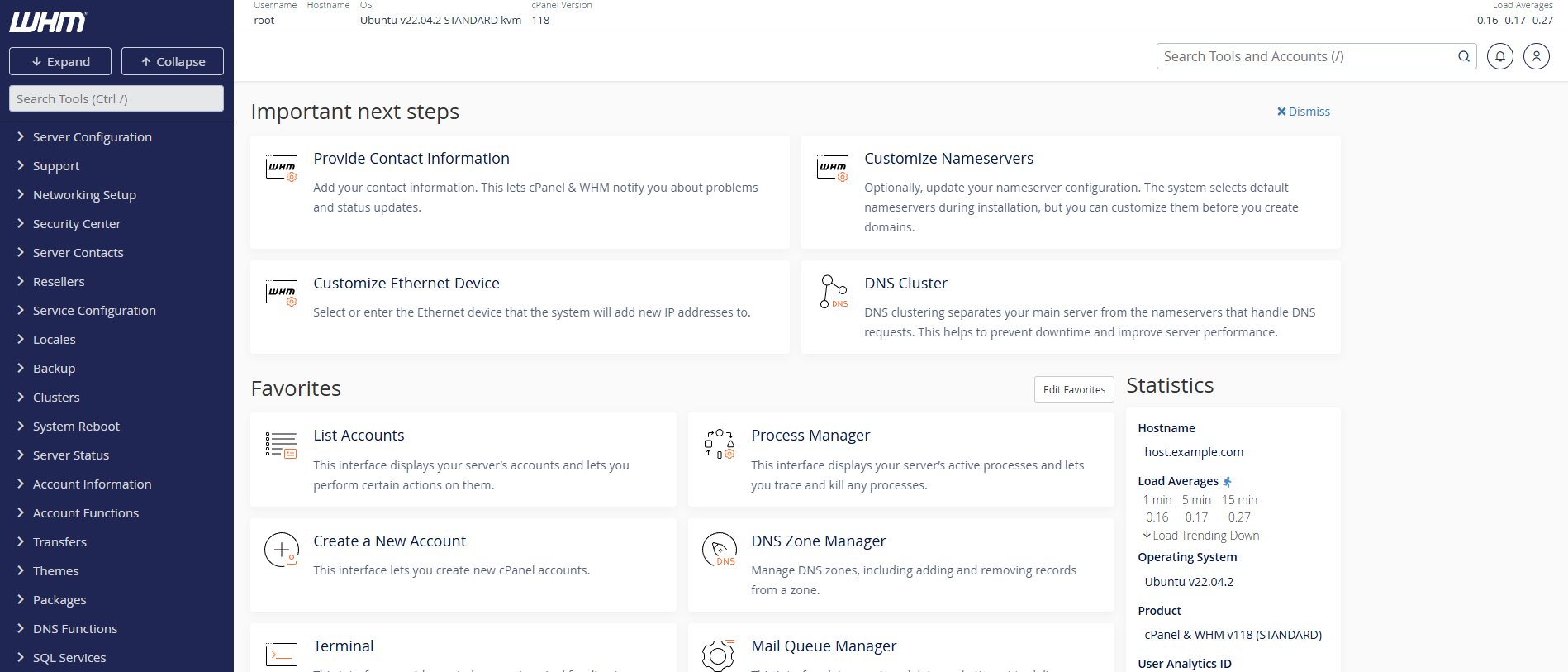
Reseller hosting with cPanel uses two distinct tools. WHM (Web Host Manager) handles reseller and root-level tasks: creating accounts, setting resource limits, configuring server-wide settings and applying your own branding. The cPanel dashboard is what your clients see and use, accessed on a different port (:2083 or /cpanel). This separation means clients never encounter admin-level options by accident, and your management interface stays uncluttered by end-user features.
Built-in account migration between servers
cPanel’s built-in transfer tool makes migrating accounts between cPanel servers reliable and repeatable. With live transfer enabled, the process runs in the background while the account remains accessible, which keeps downtime to a minimum. For resellers planning to scale across servers, this is a genuine time-saver.
A documentation library that covers the edge cases
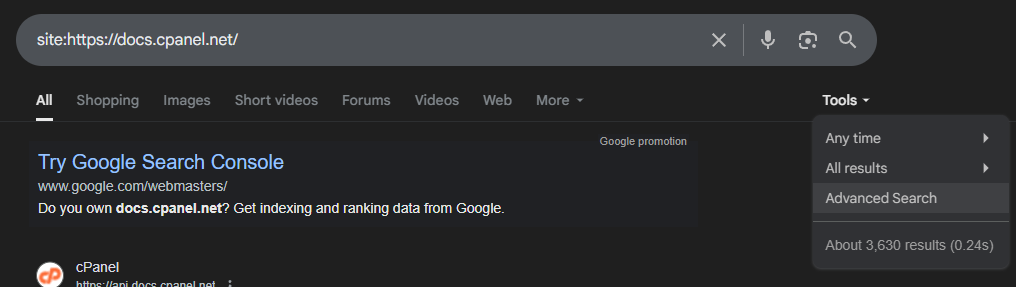
cPanel’s documentation covers the client panel, WHM and its API in depth. As of writing, a Google site search returns around 3,630 indexed pages. When you hit an unfamiliar setting or need to troubleshoot an edge case, the answer is usually already written up.
WordPress Toolkit Deluxe for WordPress-heavy client bases
The Deluxe version of WordPress Toolkit comes included with cPanel reseller plans, adding one-click installs, staging sites, smart updates and centralised management of WordPress instances across all your client accounts. If WordPress sites make up a large portion of your client base, this is a meaningful workflow improvement over managing installs manually.
The trade-off: per-account pricing
cPanel’s biggest disadvantage for resellers is its licensing model. Pricing is based on the number of accounts on the server, which means costs rise in step with your client base. For a reseller starting out with a small number of clients, the per-account cost is proportionally high. As you scale, the per-account price improves, but it never fully closes the gap with DirectAdmin’s flat-rate approach.
Where DirectAdmin stands out
DirectAdmin has been in active development for over 20 years and remains independently owned, free from the corporate consolidation that has reshaped much of the hosting tool market. That independence has helped it maintain an aggressive pricing model without cutting corners on functionality.
One interface across all user levels
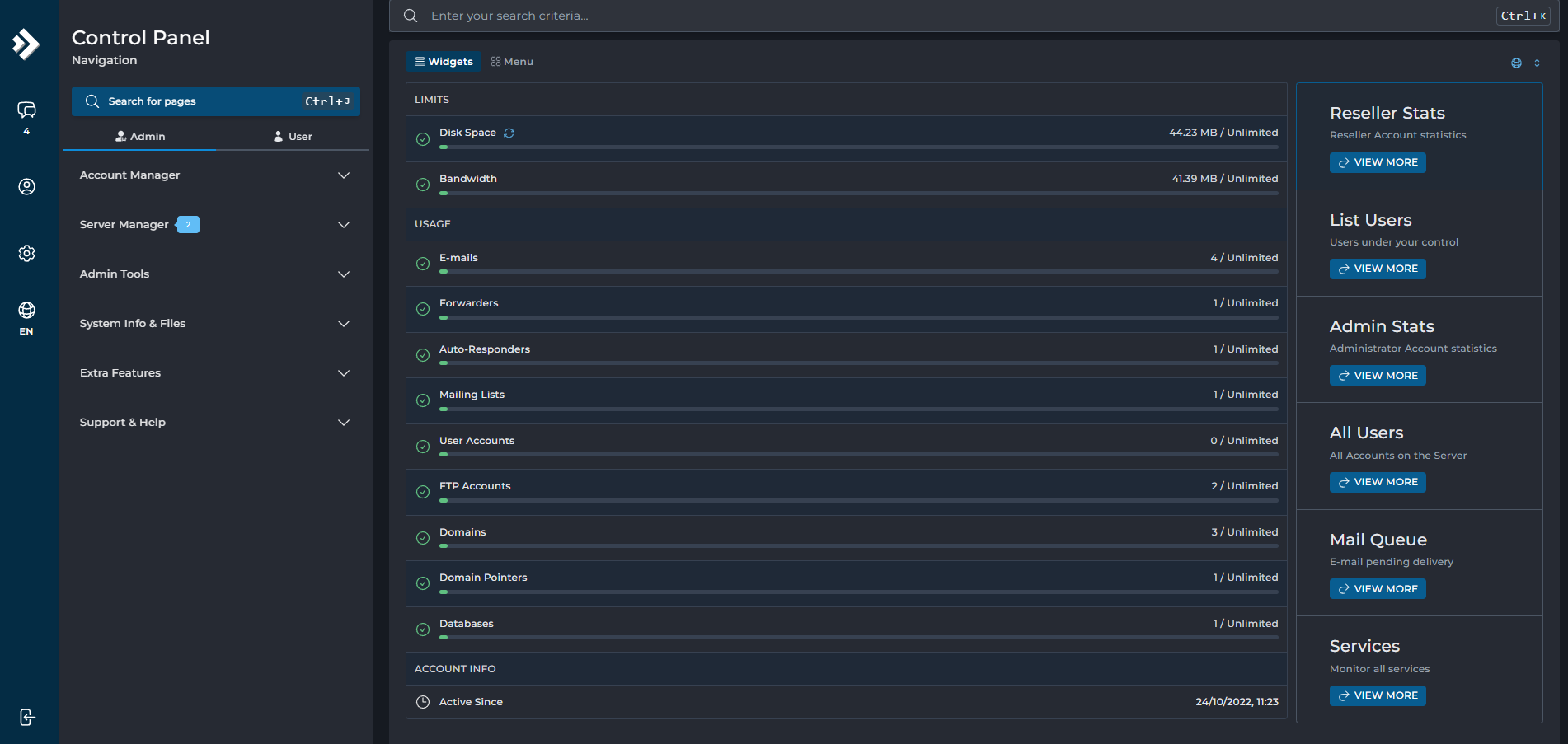
Where cPanel splits administration into WHM and cPanel, DirectAdmin keeps administrator, reseller and end-user tiers within a single interface. You switch between levels without logging in and out of separate panels. This also benefits clients who later become resellers themselves, because they already know the interface and do not need to learn a second tool.
Flat-rate licensing that does not scale with your client count
At its highest licence tier, DirectAdmin provides unlimited user accounts on a single server for a flat fee. For a growing reseller, this changes the economics significantly. Your hosting panel cost stays fixed regardless of whether you have 10 clients or 500, which makes revenue forecasting simpler and keeps margins healthier as you scale.
A lighter resource footprint
DirectAdmin’s minimum CPU and memory requirements sit below cPanel’s, which points to a more streamlined codebase. While this is less relevant for resellers (your hosting provider manages the server resources), it does suggest that DirectAdmin leaves more headroom for the sites and applications actually running on the box.
Softaculous for app installs and WordPress management
DirectAdmin does not support WordPress Toolkit, which is tightly integrated with the WebPros ecosystem. Instead, it uses Softaculous as its auto-installer, which covers WordPress alongside hundreds of other applications. Softaculous handles one-click installs, updates, backups and staging, so you are not losing core functionality. However, Toolkit’s WordPress-specific features, smart updates and centralised vulnerability scanning, do not have direct equivalents in Softaculous.
Tip: If the majority of your clients run WordPress, test Softaculous and WordPress Toolkit before committing to a panel. The workflow differences are more noticeable at scale.
The trade-off: a smaller documentation library
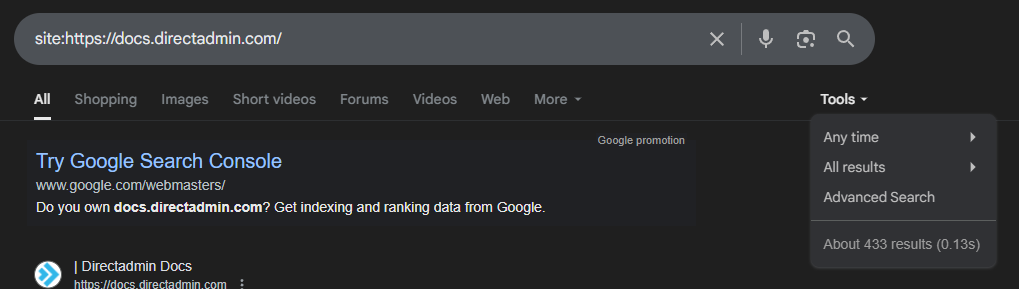
DirectAdmin’s documentation has improved significantly in recent years, but it is still a smaller library. A comparable Google site search returns around 433 indexed pages, roughly one-eighth of cPanel’s coverage. The docs that exist are solid, but you are more likely to end up searching community forums or experimenting when you hit a niche configuration question.
Side-by-side comparison
The key differences between the two panels from a reseller’s perspective.
| Attribute | cPanel | DirectAdmin |
|---|---|---|
| Interface structure | Separate WHM + cPanel | Single unified panel |
| Licence model | Per account | Flat rate (unlimited at top tier) |
| WordPress management | WordPress Toolkit (Deluxe) | Softaculous |
| Documentation (indexed pages) | ~3,630 | ~433 |
| Server-to-server migration | Built-in transfer tool | Manual or third-party |
| Resource footprint | Higher minimum requirements | Lower minimum requirements |
| Ownership | WebPros (private equity backed) | Independent |
Key takeaways
- cPanel and DirectAdmin share the same core features: email, DNS, file management, databases, SSL and PHP version control.
- cPanel’s separated WHM/cPanel interface suits resellers who want a clear boundary between admin and client access.
- DirectAdmin’s flat-rate licensing keeps costs predictable as your client base grows, making it the stronger choice for cost-conscious resellers.
- cPanel’s documentation library is roughly eight times larger, which matters when troubleshooting unfamiliar issues.
- WordPress Toolkit gives cPanel an edge for WordPress-heavy reseller businesses, though Softaculous covers most of the same ground.
Our verdict
If your priority is keeping costs low while you build your client base, DirectAdmin is the stronger starting point. Its flat-rate licensing means your panel costs do not climb with every new account, and its unified interface is quick to learn. You get the same core hosting features as cPanel without paying a premium for them.
If you manage a large number of WordPress sites and value the deeper tooling that WordPress Toolkit provides, or if you regularly migrate accounts between servers and want a built-in transfer tool, cPanel justifies its higher cost. Its documentation depth also gives it an edge for resellers who prefer to self-serve when troubleshooting.
For most resellers starting out, we would recommend beginning with DirectAdmin and the savings it brings. As your business grows and your needs become clearer, you can always reassess. Our reseller hosting plans are available with either panel, with no lock-in contracts, so switching later does not mean starting from scratch.
If you have any questions, get in touch and our team will be happy to help.

About Angus
Angus is the Website and Content Developer at Unlimited Web Hosting UK where he crafts clear, engaging content optimised for humans.

You May Also Like
Related articles you might find interesting.
Reseller hosting: how it works and what makes it succeed

Need multiple accounts?
Create isolated individual accounts for your clients and manage them all from one dashboard.
Get Reseller Hosting
Need more control?
Upgrade to VPS hosting for scalable resources and root access to your server.
Get VPS Hosting