A UK website can cost a few pounds a month or several thousand pounds, depending on whether you build it yourself or commission it. The five things you always pay for are a domain, hosting, the build itself, security and content. Watch for providers who keep ownership of your content or charge to make changes.
On this page ▾
Whether you are starting a new business or moving an existing one online, working out the cost to build a website in the UK is rarely as clear-cut as it should be, especially for a small business website on a tight budget. Many providers use dark patterns and other shady practices to trap you in, retain ownership of your content, or charge an inflated premium to make changes. Knowing what you actually need, and what it costs, puts you in a much stronger position. Many small business owners ask how much does a website cost, and the honest cost to build a website UK-wide ranges from just a few pounds a month for your own website to thousands for a bespoke build.
From domain names and hosting to content, security and marketing, this post breaks down each element so you can plan your budget and make the right call for your business.
What does a website cost?
The honest answer is: it depends. A bespoke, professional website with custom features will cost considerably more than one built with a website builder, and most website builders bundle hosting into a single monthly cost. For most people starting out, WordPress or a cPanel hosting plan with a built-in website builder is a reliable, cost-effective approach. Free website builders can get you online for very little, but they limit how much you truly own your website. These options give you a user-friendly interface and enough features to get online without needing technical expertise.
When those options do not fit your needs, you might consider hiring website designers, a web design agency or one of the larger web design companies. Most web design agencies and highly skilled designers with a strong portfolio charge more, but they deliver greater customisation and a better end result. You need to weigh that cost against what your project actually requires.
Beyond initial design and development, ongoing costs such as website maintenance, updates, a business email address, search engine optimisation and security should also be factored in. These are often quoted as annual maintenance costs or a monthly cost, the long-term commitments that keep your site running and protected.
The five core elements of a website
At its most basic, a website consists of five elements, each carrying its own cost. Here is what to expect for each one. An ecommerce website or business site with booking systems and advanced contact forms adds to the total cost, including payment processing fees on every sale.
Domain name
Your domain name is your address on the internet, for example www.example.com. It forms part of your brand identity, so it is worth choosing carefully. The cost of a domain name varies depending on the extension and registrar. A custom domain such as a .co.uk domain starts from around £7.19 per year, while a .com or premium domain can run to £230 or more annually. Premium domains, those that are already registered and being resold, can cost significantly more and are not supported at most web hosts.
Web hosting
Web hosting stores your website’s files on a server so visitors can access them from anywhere. Shared hosting is the most cost-effective starting point, with providers offering different tiers that include varying levels of performance, access and software features. Shared cPanel hosting typically runs from around £3.99 to £11.99 per month.
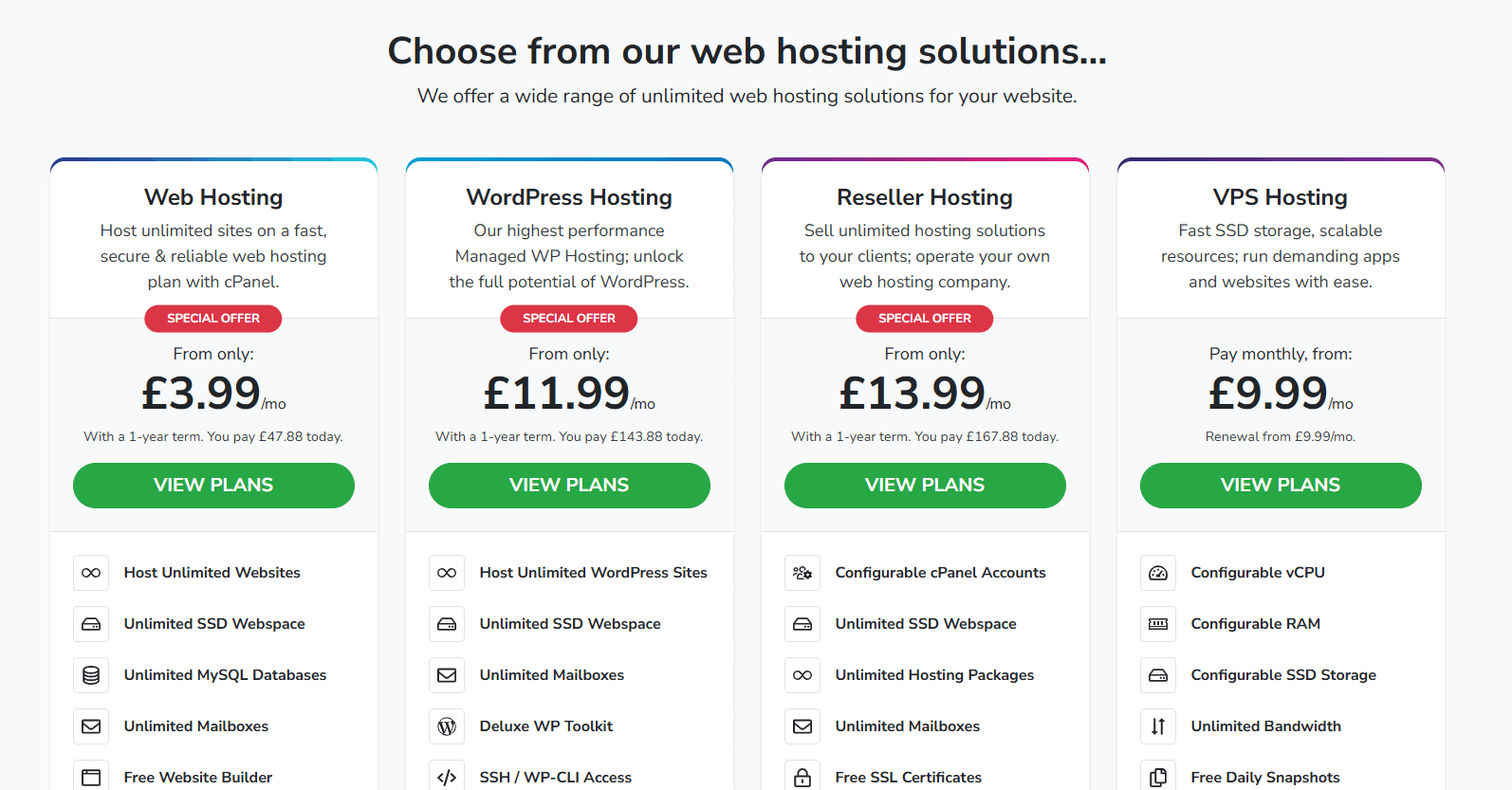
For better performance you might consider a virtual private server, dedicated server or dedicated cloud. These give you greater access to the underlying hardware and more room to scale, but they cost more, require more technical knowledge to manage, and do not include the bundled software benefits that shared hosting packages typically offer.
Content
Content covers written text, images and video. If you create it yourself, the cost is low. Hiring professionals for copywriting, photography or video production can eat through your budget fast, particularly if there is no clear strategy behind it. A content management system like WordPress, available on most web hosting plans, gives you a solid foundation for managing and publishing content without additional cost.
Website security
Most hosting providers include security features as standard, with more bespoke options available at extra cost. SSL certificates protect data in transit and are now expected by visitors and search engines alike. Additional measures can protect your site from malware and brute-force attacks.
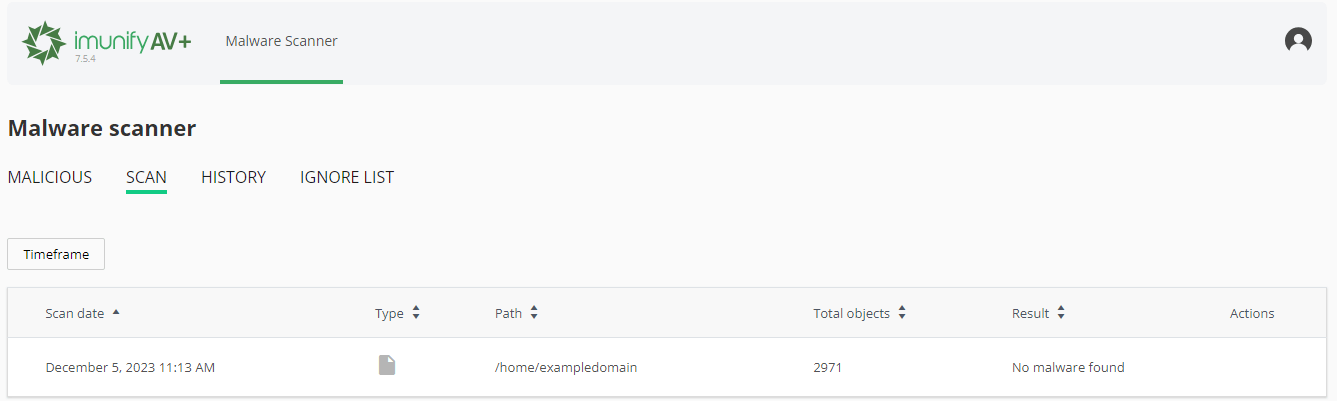
WordPress in particular attracts attention from attackers who exploit plugin vulnerabilities and use brute-force methods to compromise sites. Tools worth knowing about include Cloudflare, Wordfence and Sucuri. That said, no single tool covers every threat, so it is worth understanding how to remove malware from WordPress for when something does get through.
SEO and marketing
Organic traffic builds slowly for new websites, but there is a lot you can do before spending money on an SEO consultant. There are plenty of ways to boost your SEO without paying for professional services, and starting early gives you a head start as your site matures. Beyond SEO, digital marketing through social media accounts and email can drive traffic without a large budget.
Website builder or web designer?
The choice between building it yourself and hiring a professional comes down to budget, complexity and how much time you are willing to invest. Using a website builder keeps things simple and cheap, while hiring a web designer suits more complex websites that need custom functionality.
A website builder is a cost-effective option that comes with pre-designed website templates and a drag-and-drop editor, and you typically pay monthly as part of your hosting. It works well for small businesses and start-ups and keeps the basic website cost low. A professional web designer or agency gives you a bespoke website with a custom look and more advanced functionality, which makes sense for larger ecommerce site projects or anything with specific technical requirements, but the total project cost is significantly higher.
If you are unsure which route suits your situation, you can always get in touch with our team for guidance on the right hosting setup for your project.
Typical costs at a glance
Every project is different, but the typical costs for UK businesses fall into three broad tiers. Use them to sense-check quotes and plan for additional costs before you commit.
- DIY with a website builder. The lowest basic website cost. You pay monthly for hosting and the builder, and supply your own content and contact details.
- Freelancer. A middle tier, good for a professional site with some custom design without full agency rates.
- Professional agency. The highest tier, for a bespoke website or ecommerce site built to convert visitors, with a larger total project cost and ongoing support.
Keeping costs down
For smaller businesses, reducing website costs often means being deliberate about what you actually need. Remember the ongoing costs too: ongoing hosting, domain registration renewals and ongoing maintenance are easy to overlook, and hidden costs can push the real cost in the UK higher than the headline build cost. A few practical approaches make a real difference.
Start by identifying the features that are genuinely critical to your business, whether that is a contact form, an online store or a blog, and avoid adding anything that does not serve a clear purpose. Unnecessary features inflate costs and make your site harder to maintain. Where non-essential functionality is needed, free or low-cost plugins and tools within your CMS can often cover it without extra spend.
User experience is also worth investing thought in, even if not money. A clear layout, intuitive navigation and fast loading times reduce bounce rates and improve conversions. A mobile-responsive design is no longer optional; a significant portion of web traffic comes from phones, and search engines factor mobile performance into rankings. Many of these improvements cost nothing beyond time, particularly if you are using a modern website builder or a well-maintained WordPress theme.
The cost of a website ultimately depends on its complexity, the features you need and whether you build it yourself or bring in professionals. Planning ahead, knowing what each element costs and being honest about what your business actually needs will help you get the best return on whatever you invest.
If you are ready to get started, take a look at our cPanel hosting plans to find a package that fits your project.


